Backup, Restore & Transfer Contacts Easily
Losing important phone numbers when changing, resetting, or losing a smartphone can be frustrating. Contacts Backup and Restore is an Android utility designed to make protecting your contact list easier by allowing you to create backups and restore them whenever needed. G14
Developed by Galaxy Studio Apps, the app has surpassed 1 million downloads and holds approximately a 4.5-star rating. It supports local storage as well as cloud backup options, making it useful when moving contacts between Android phones.
What is Contacts Backup and Restore?
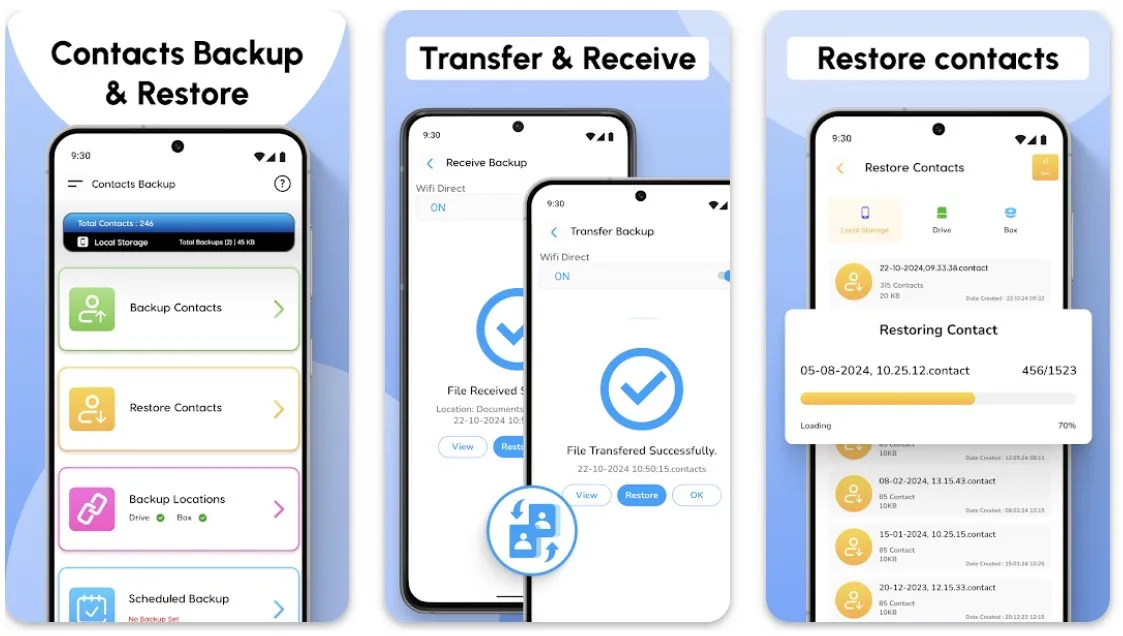
Contacts Backup and Restore is a contact-management utility that lets users create copies of their phone contacts and save them in different locations. Backups can be stored on the phone itself or uploaded to supported cloud services such as Google Drive and Dropbox.
The app can be particularly useful before performing a factory reset or switching to a new smartphone.
Key Features
1. Contact Backup
Users can quickly create a backup of important contact information. You can choose to save the backup locally or use supported cloud-storage options.
2. Restore Contacts
When moving to a new phone, users can access an existing backup and restore their saved contacts instead of manually entering every phone number again.
3. Google Drive Backup
The app supports storing contact backups through Google Drive, providing an additional copy outside the phone.
4. Dropbox Support
Dropbox is another available cloud-storage option. This provides users with more flexibility when choosing where important contact backups should be stored.
5. Automatic Backup
Users can schedule automatic cloud backups on a weekly, biweekly, or monthly basis. This reduces the risk of relying on an outdated contact backup.
6. Transfer Contacts to a New Phone
Backup files can be shared or transferred to another device and then used to restore contacts. This can simplify the process of upgrading from an old Android phone to a new one.
7. Search and Sort
The app also provides tools for viewing, searching, and sorting contacts stored inside backup files, making larger contact lists easier to manage.
Pros
- Simple contact backup and restoration
- More than 1 million downloads
- Local storage backup
- Google Drive support
- Dropbox integration
- Automatic scheduled backups
- Contact transfer between phones
- Search and sorting tools
- Useful before factory resetting a device
Cons
Some user reviews report problems with contact transfers or backup file formats. Others criticize paywalls in the free version and the permissions requested by the application. Because contact lists contain sensitive personal information, users should carefully review permissions and privacy practices before enabling cloud backups.
Important Backup Tip
Creating a backup is only useful if you can access it later. Before resetting, selling, or replacing your phone, confirm that the backup has completed successfully and that your cloud account or backup file is accessible.
Keeping an additional copy in a secure location can provide extra protection against accidental data loss.
Final Verdict
Contacts Backup and Restore is a convenient Android utility for protecting and transferring your phone contacts. Its combination of local backups, Google Drive, Dropbox, scheduled backups, and contact restoration makes it particularly useful when upgrading phones or preparing for a factory reset.
The interface is straightforward, but users should pay attention to the permissions they grant and verify that important backups have been created successfully.
For Android users who want a dedicated tool for keeping an additional copy of their contacts,
Contacts Backup and Restore provides a useful set of features.