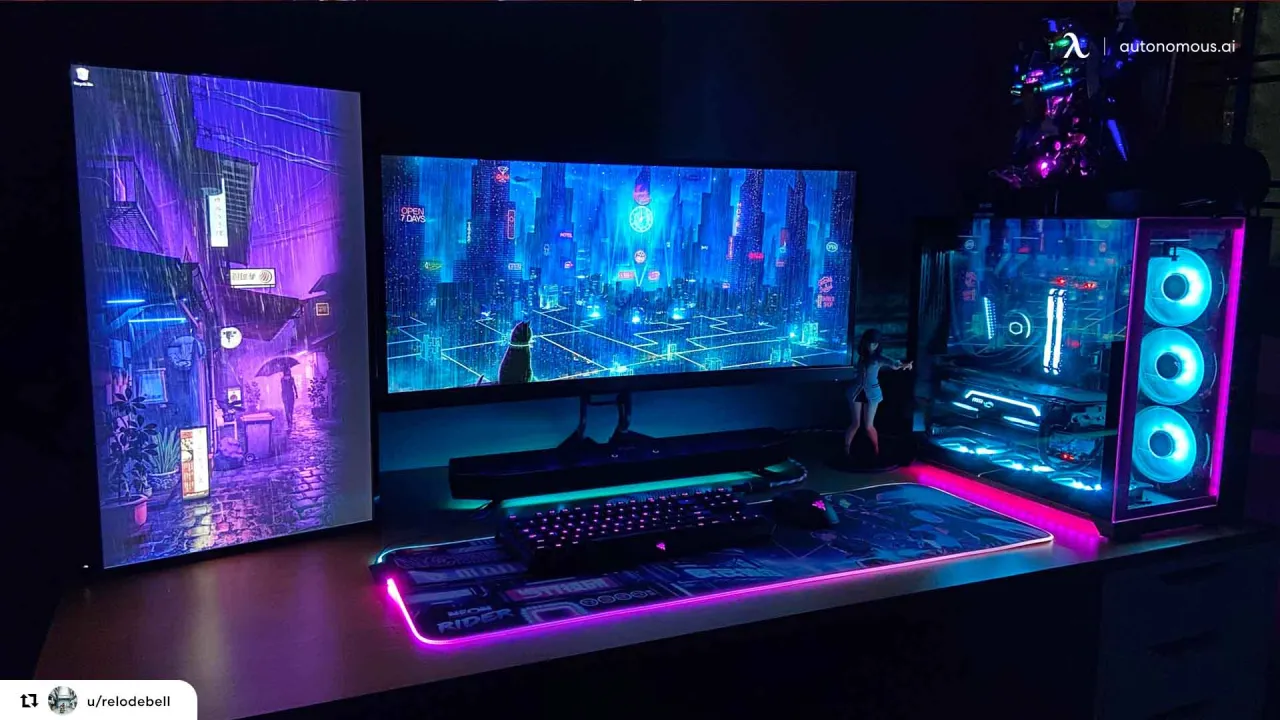
The Ultimate Guide to Gaming PCs
Introduction In the world of gaming, having the right equipment can make all the difference. A gaming PC is not just about playing games; it's about experiencing them in their full glory. With advancements in…
Introduction
In the world of gaming, having the right equipment can make all the difference. A gaming PC is not just about playing games; it's about experiencing them in their full glory. With advancements in technology, the gaming PC market has evolved significantly, offering gamers a plethora of options to choose from. This article will explore what a gaming PC is, its components, how to build one, and the benefits of investing in a dedicated gaming machine.
What is a Gaming PC?
A gaming PC is a personal computer specifically designed and optimized for playing video games. Unlike standard PCs, gaming computers are equipped with high-performance components that can handle the demands of modern games. These include powerful graphics cards, fast processors, ample RAM, and efficient cooling systems.
Key Components of a Gaming PC
-
Central Processing Unit (CPU): The CPU is often referred to as the brain of the computer. It processes instructions and performs calculations. For gaming, a powerful CPU is essential for handling complex game mechanics and ensuring smooth gameplay.
-
Graphics Processing Unit (GPU): The GPU is arguably the most critical component of a gaming PC. It renders images, animations, and videos, ensuring high frame rates and stunning visuals. Popular choices include NVIDIA's GeForce and AMD's Radeon series.
-
Memory (RAM): RAM is crucial for multitasking and loading games quickly. Most gaming PCs come with at least 16GB of RAM, although 32GB or more is becoming increasingly common for high-end setups.
-
Storage: Fast storage is essential for quick load times. Solid State Drives (SSDs) are preferred over Hard Disk Drives (HDDs) due to their speed. Many gamers opt for a combination of both, using an SSD for the operating system and frequently played games while storing less-used files on an HDD.
-
Motherboard: The motherboard connects all components of the PC. It’s important to choose one that supports the desired CPU and has enough slots for RAM and expansion cards.
-
Power Supply Unit (PSU): The PSU provides power to all components. It’s crucial to choose a reliable unit with sufficient wattage to support the entire system.
-
Cooling System: High-performance components generate heat, making efficient cooling essential. Options include air cooling with fans or liquid cooling systems for more effective temperature management.
-
Case: The case houses all components. It should provide good airflow and enough space for future upgrades.
-
Peripherals: While not part of the PC itself, peripherals like monitors, keyboards, mice, and headsets play a significant role in the gaming experience.
Building Your Gaming PC
Building a gaming PC can be a rewarding experience. Here’s a step-by-step guide:
-
Planning: Determine your budget and what games you want to play. Research the components that fit your needs.
-
Gathering Components: Purchase your components from reputable retailers. Ensure compatibility between parts, especially the CPU and motherboard.
-
Assembling the PC:
- Install the CPU: Carefully place the CPU into the motherboard socket and secure it.
- Add RAM: Insert RAM sticks into the designated slots.
- Mount the motherboard: Place the motherboard into the case and secure it.
- Install the GPU: Insert the graphics card into the appropriate PCIe slot.
- Connect storage: Install the SSD and HDD, connecting them to the motherboard.
- Connect the PSU: Attach power cables to the motherboard, GPU, and storage devices.
- Cooling: Install the cooling system, ensuring proper airflow.
-
Final Setup: Connect peripherals, power on the PC, and install the operating system and drivers.
Benefits of a Gaming PC
-
Performance: Gaming PCs offer superior performance compared to consoles, allowing for higher frame rates and better graphics.
-
Customization: Gamers can tailor their PCs to fit their specific needs, from aesthetics to performance.
-
Upgradeability: Unlike consoles, gaming PCs can be upgraded over time. This means you can replace components as technology advances without needing to buy a whole new system.
-
Versatility: A gaming PC can also be used for tasks beyond gaming, such as video editing, graphic design, and programming.
-
Game Library: Many PC games are available at a lower price point or through subscription services, providing access to a vast library of titles.
Conclusion
Investing in a gaming PC can enhance your gaming experience significantly. With the ability to customize and upgrade, a gaming PC not only offers superior performance but also versatility for other computing tasks. Whether you’re a casual gamer or a hardcore enthusiast, understanding the components and benefits of a gaming PC is essential for making an informed decision. As technology continues to advance, the world of gaming PCs will only become more exciting, offering new opportunities for gamers everywhere.