Why Google Keyboard Is Still the Best Android Keyboard App
Introduction: When it comes to typing on Android devices, few keyboard apps can match the popularity and performance of Gboard. Developed by Google, Gboard has become the default keyboard for millions of Android users worldwide thanks to its speed, intelligent typing features, multilingual support, and seamless integration with Google's ecosystem. Jb2
Whether you're sending messages, writing emails, posting on social media, or searching the web, Gboard is designed to make typing faster, easier, and more accurate.
In this review, we'll take a detailed look at Gboard's features, performance, customization options, and why it remains one of the best keyboard apps available in 2026.
What is Gboard?
Gboard is Google's official keyboard app for Android and other platforms. It combines traditional keyboard functionality with advanced tools such as voice typing, glide typing, emoji search, handwriting input, GIF sharing, and built-in translation support.
The app is designed to improve productivity while making communication faster and more enjoyable.
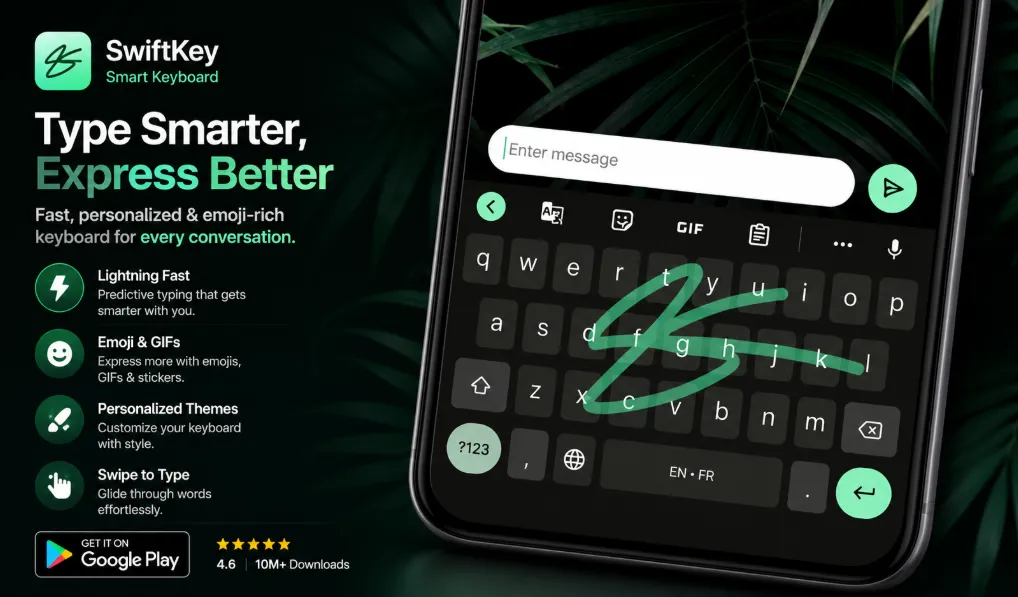
Glide Typing for Faster Text Entry
One of Gboard's most popular features is Glide Typing.
Instead of tapping each letter individually, users can simply slide their finger across the keyboard and Gboard intelligently predicts the intended word.
Benefits include:
-
Faster typing speed
-
Improved one-handed use
-
Fewer typing errors
-
Smoother messaging experience
For users who send many messages every day, Glide Typing can significantly improve efficiency.
Powerful Voice Typing
Gboard includes advanced voice typing capabilities that allow users to dictate messages instead of typing them manually.
This feature is ideal for:
-
Long messages
-
Quick note-taking
-
Hands-free communication
-
Multitasking situations
Google's speech recognition technology helps deliver accurate and fast voice-to-text conversion.
Handwriting Support
For users who prefer writing rather than typing, Gboard includes handwriting input.
Users can:
-
Write cursive text
-
Draw printed characters
-
Enter text naturally
This feature is particularly useful for languages that use unique writing systems and for users who find handwriting more comfortable than traditional typing.
Built-in Google Translate
One of Gboard's standout features is Google Translate integration.
Users can translate text directly from the keyboard without switching apps.
Advantages include:
-
Instant translation
-
Faster communication
-
Multilingual conversations
-
Improved productivity
This makes Gboard extremely useful for international communication and language learning.
Emoji and GIF Search
Modern communication often relies on emojis and GIFs.
Gboard makes it easy to:
-
Search emojis instantly
-
Find GIFs quickly
-
Share reactions directly from the keyboard
Instead of scrolling through endless lists, users can simply search for what they need.
Multilingual Typing
Gboard supports hundreds of language varieties and allows users to type in multiple languages without manually switching keyboards. The app can provide suggestions and autocorrections across enabled languages.
Supported languages include:
-
English
-
Afaan Oromoo
-
Amharic
-
Arabic
-
French
-
Spanish
-
German
-
Chinese
-
Hindi
-
Swahili
and many more.
Themes and Customization
Gboard offers extensive customization options.
Users can personalize:
-
Keyboard themes
-
Background images
-
Key borders
-
Keyboard size
-
Number row visibility
These options allow users to create a keyboard that matches their style and preferences.
Productivity Features
Gboard includes several tools that help users type more efficiently:
Clipboard Manager
Save and reuse copied text easily.
One-Handed Mode
Perfect for large-screen smartphones.
Cursor Control
Move the cursor precisely by sliding across the space bar.
Text Shortcuts
Create custom shortcuts for frequently used phrases.
These features help improve everyday productivity.
Performance
Gboard is known for its speed and reliability.
The app offers:
-
Fast startup times
-
Smooth typing experience
-
Intelligent predictions
-
Accurate autocorrect
-
Efficient battery usage
Even on mid-range Android devices, performance remains excellent.
Pros
-
Free to use
-
Fast and accurate typing
-
Excellent voice typing
-
Built-in Google Translate
-
Emoji and GIF search
-
Glide Typing support
-
Multilingual typing
-
Highly customizable
-
Reliable performance
-
Regular updates
Cons
-
Some advanced features depend on internet connectivity
-
Certain features may vary by device
-
Users concerned about cloud services may prefer simpler keyboards
Who Should Use Gboard?
Gboard is ideal for:
-
Android users
-
Students
-
Professionals
-
Content creators
-
Multilingual users
-
Social media enthusiasts
-
Frequent texters
Whether you're writing emails or chatting with friends, Gboard offers tools that make communication easier.
Final Verdict
Gboard continues to be one of the best keyboard apps available in 2026. Its combination of speed, intelligent predictions, voice typing, translation tools, customization features, and multilingual support makes it an excellent choice for almost every Android user.
If you're looking for a reliable, feature-rich, and free keyboard app, Gboard remains one of the top options available today.