Can It Really Restore Deleted Messages?
Message recovery apps are extremely popular on Android because many users want to read deleted chats, restore lost notifications, or recover media that disappeared from messaging apps. Recover Deleted Messages Chat is one of those tools. It’s designed to help users save message notifications, recover deleted chat content that appeared in notifications, and restore certain media or files depending on permissions and device behavior. The app has crossed 1M+ downloads on Google Play and is positioned as a simple solution for recovering deleted conversations and attachments. G6
What is Recover Deleted Messages Chat?
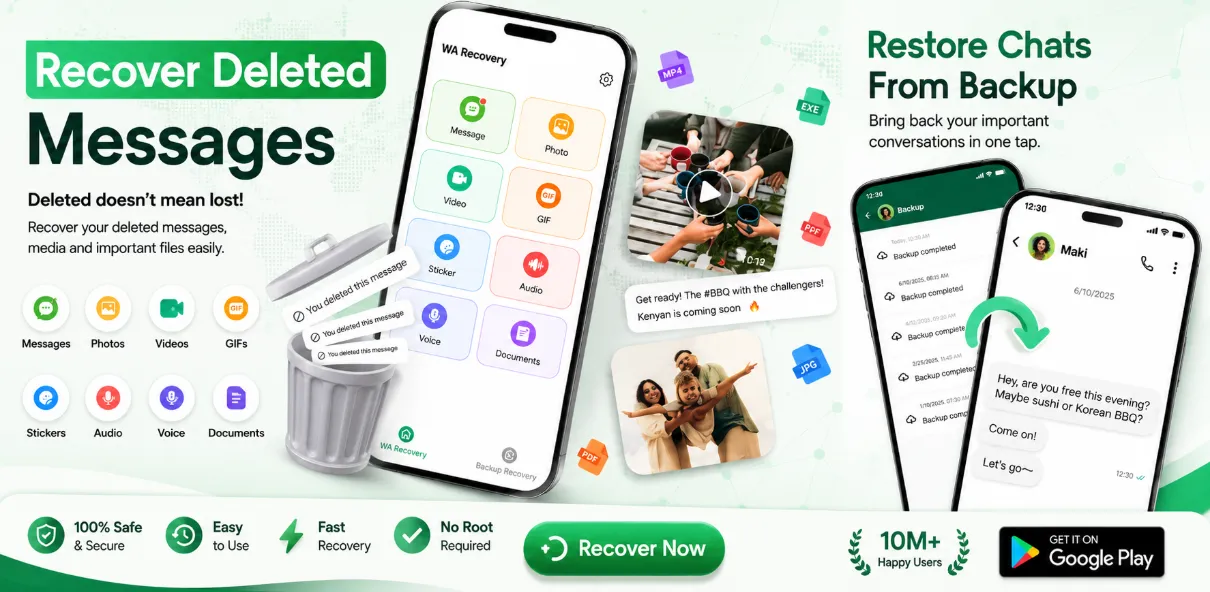
Recover Deleted Messages Chat is an Android app from Belirucko that focuses on recovering deleted chat content by monitoring notifications on your device. According to its Play Store listing, it can help users restore deleted text messages, photos, videos, documents, voice notes, GIFs, and stickers—mainly by capturing message content when notifications arrive.
How It Actually Works
This is the most important part to understand: apps like this usually do not “pull back” old deleted chats directly from WhatsApp, Messenger, Telegram, or SMS databases. Instead, they commonly work by saving notification content when a message arrives. If the sender later deletes that message, the app can show you the saved copy it captured earlier. Similar recovery apps on Google Play explicitly explain this notification-based method and its limits.
That means:
-
it cannot recover messages deleted before you installed it
-
it may fail if notifications were muted or never shown
-
it may not recover everything from encrypted or unsupported chats
-
media recovery depends on what was stored locally on the phone
Key Features
1) Deleted Message Recovery
The app promises recovery of deleted text messages that passed through your notification panel. This is the main feature and the most realistic use case.
2) Media Recovery
It also claims to help restore deleted photos, videos, documents, voice notes, GIFs, and stickers that were shared in chats, depending on storage access and what remained on-device.
3) Local Backup Style Protection
The Play Store listing says saved content stays on the device rather than being uploaded to external servers. That is a positive point if true in practice. It also states no data collected and no data shared in the Play listing’s developer-provided data safety section, although it also notes data isn’t encrypted.
User Experience and Limitations
The app has a 4.2 rating on Google Play, but user reviews reveal the usual limitation of this app category: several users expected it to recover messages that were deleted before installation, and were disappointed when it couldn’t. One response from the developer confirms that recovery is designed to work from the point the app is installed onward.
So if your goal is “I deleted a message last month, can this app bring it back now?” the answer is usually no. If your goal is “from today onward, save deleted incoming message notifications so I can view them later,” then it’s much more realistic.
Pros
-
Simple idea and easy setup
-
Can help capture deleted message notifications going forward
-
Supports text plus some media categories
-
1M+ installs on Google Play
-
Claims on-device storage rather than cloud upload
Cons
-
Cannot reliably recover messages deleted before installation
-
Depends heavily on notification access and device behavior
-
Muted chats or missing notifications can break recovery
-
“Recover deleted messages” marketing can be more impressive than the real technical capability
-
Data safety page says data isn’t encrypted
Final Verdict
Recover Deleted Messages Chat is best understood as a notification-capture tool, not a true forensic message recovery app. If you install it before future deletions happen, grant notification access, and keep chats unmuted, it may help you see deleted messages that originally appeared in notifications. But if you expect it to magically restore old deleted chats from weeks ago, it will likely disappoint you.
For that reason, I’d rate it as useful only if you understand its limits before installing it.