How to set Android custom charging notifications
In today’s fast-paced world, our mobile devices – from smartphones to tablets and laptops – are our lifelines. Whether it’s keeping up with work, staying connected with loved ones, or managing personal tasks, these…
In today’s fast-paced world, our mobile devices – from smartphones to tablets and laptops – are our lifelines. Whether it’s keeping up with work, staying connected with loved ones, or managing personal tasks, these devices are essential. And what do they all have in common? Batteries! We all know the feeling of “battery anxiety” – that fear of our devices dying at the worst possible time.
Traditionally, we get visual battery icons or pop-up warnings, but sound notifications for battery levels are here to make things even easier! Imagine receiving an audio cue that lets you know, hands-free, when it’s time to charge or disconnect. This way, you can stay focused and connected without ever worrying about your battery. Let’s dive into how these innovative notifications can simplify your life!
1. Why Sound Notifications? 🔊
Visual indicators aren’t always convenient – think about people with visual impairments or those simply too busy to keep glancing at their screens. Imagine being in a meeting or driving; sound alerts would save you the hassle!
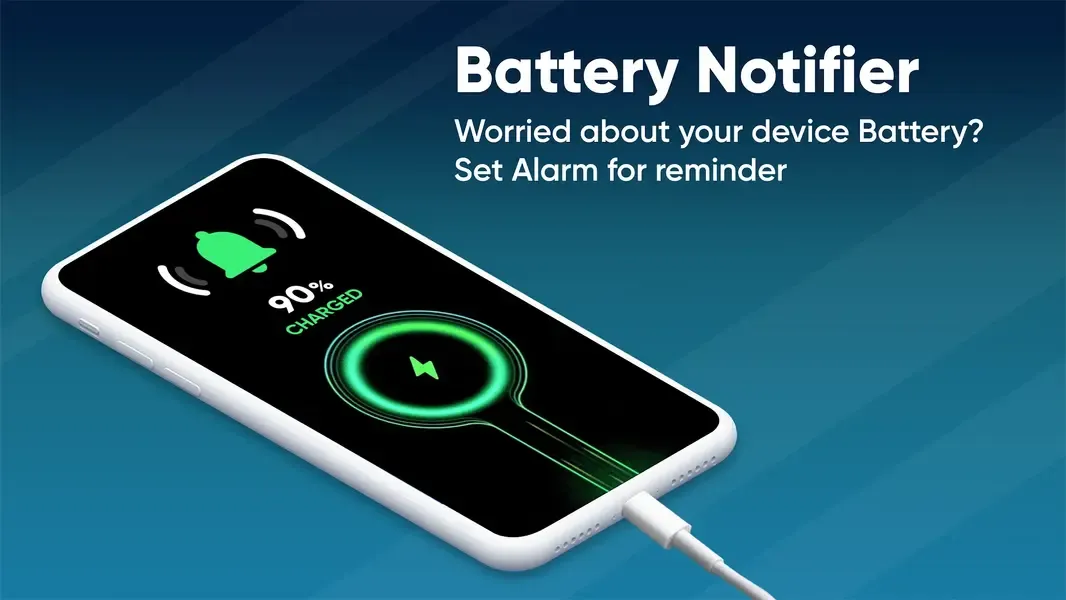
Battery sound notifications offer real-time audio reminders at critical battery levels. They can alert you when it’s time to charge, when you’re fully charged, or even if your battery’s draining faster than usual. This quick, simple solution helps you stay powered up and worry-free!
2. How Do Sound Notifications Work? 🚀
Sound notifications for battery levels are software-based and customizable. Here’s how it works:
- Battery Monitoring: Your device continuously tracks battery levels and health.
- Threshold Alerts: You can set specific battery levels (e.g., 20%, 10%) to receive alerts, so you’re never caught off guard.
- Sound Customization: Choose specific sounds for each battery milestone – the sound of “full charge” can be different from “low battery.”
- User-Friendly Settings: Easily manage your preferences in the device’s settings, adjusting alert volume, tones, and even alert frequency.
3. The Benefits of Battery Sound Notifications 🌟
Accessibility: For users with visual impairments, these sound alerts are invaluable. Sound-based notifications provide a hassle-free way to keep track of battery levels without ever needing to check the screen.
Boosted Productivity: Imagine being notified about low battery before a big meeting or exam. Sound alerts can save you from power outages at crucial moments, ensuring you stay on top of things.
Hands-Free Convenience: Field workers, delivery drivers, and students on the go can monitor battery levels passively, without stopping to check their screens.
Battery Health Awareness: Overcharging or letting your battery die frequently can reduce its lifespan. With sound alerts, you can monitor recommended battery ranges (e.g., 20-80%) for optimal performance and longevity.
4. Industry Use Cases 🌐
Healthcare: For medical staff, keeping devices charged is a must. Sound alerts help prevent low-battery situations that could disrupt important medical equipment or communications.
Education: Students and teachers can benefit from sound alerts during classes or exams, helping them stay connected without interruption.
Transportation & Delivery: Drivers and couriers rely on GPS and communication devices. Battery sound alerts ensure they don’t lose power, helping to stay on route and meet deadlines.
Corporate: In meetings or presentations, sound notifications prevent embarrassing battery shortages. A small beep or chime can be a lifesaver!
5. Technical Aspects to Keep in Mind 🛠️
- User Control: Letting users customize thresholds, tones, and volumes makes the feature enjoyable without becoming intrusive.
- Efficient Battery Monitoring: High-quality battery monitoring software ensures notifications trigger accurately.
- Smart Thresholds: Alerts at 20% and 10% can help reduce battery anxiety, keeping users prepared.
- Power Balance: Sound notifications use a bit of power, but they’re designed to have minimal impact on battery life.
- Cross-Device Sync: Imagine getting a low battery alert for your laptop on your phone! Cross-platform sync could take this feature to the next level.
6. Crafting the Perfect User Experience 🎨
A great sound notification system is all about balance. Too many alerts are annoying, but spaced-out reminders are helpful. Different tones for low battery versus full charge make it easy to distinguish one from the other. With volume control and time-based settings (no alerts during sleeping hours, for instance), sound notifications can fit seamlessly into your daily routine.
7. The Future: Smarter Sound Alerts & IoT Integration 🔮
As technology advances, AI and IoT could take battery notifications even further. Imagine AI analyzing your routine and automatically suggesting a charge before an important event or syncing notifications across all your devices. Wearables like smartwatches could alert you about your phone’s battery status, creating a connected ecosystem that makes battery management second nature.
Conclusion: A Happier, Fully Charged You 😊🔋
Sound notifications for battery levels are here to make life easier! From accessibility and convenience to productivity boosts, this feature is transforming how we interact with our devices. As customization options expand and technology grows, sound-based alerts are poised to be a handy tool for every user. So, the next time you hear that cheerful “ding,” you’ll know it’s your device looking out for you, making sure you’re always powered up and ready to go! 004