SMS Forwarder App Review – Automating Your SMS to Email, Telegram, and More
Introduction In the modern digital world, managing multiple devices and communication channels can be overwhelming. Many professionals, businesses, and frequent travelers struggle with keeping track of text messages…
Introduction
In the modern digital world, managing multiple devices and communication channels can be overwhelming. Many professionals, businesses, and frequent travelers struggle with keeping track of text messages across different phones or platforms. The SMS Forwarder app solves this problem by automatically forwarding your incoming SMS to destinations like another phone number, email, Telegram, or even a custom URL via webhook. With its simple setup and powerful automation features, this app makes message management seamless and stress-free.
Quick and Easy Setup
One of the standout aspects of SMS Forwarder is its simplicity. The entire setup process takes less than a minute. After downloading the app, you just need to grant the required permissions and configure a rule to define where your SMS should be forwarded. Once done, you don’t need to keep the app open—the service will silently run in the background and forward incoming messages the moment they arrive. This hands-off design ensures you can focus on important tasks without constantly checking multiple devices.
Powerful Forwarding Options
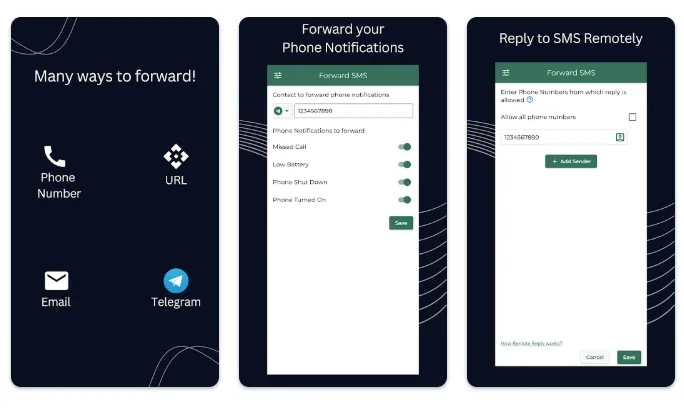
The flexibility of this app is what makes it truly valuable. You are not limited to forwarding messages to just another phone number. Instead, SMS Forwarder supports multiple channels:
-
Forward SMS to another phone as a regular text message.
-
Send SMS directly to your email inbox.
-
Forward messages to a Telegram contact or group.
-
Use webhooks to push SMS content to a URL, which is perfect for developers or businesses integrating with third-party systems.
Even better, the app is smart enough to handle offline situations. If your phone receives an SMS when the internet is down, the message will be automatically forwarded as soon as connectivity is restored. This reliability ensures that no important notification slips through the cracks.
Advanced Rules and Customization
For users who need more than just basic forwarding, the app includes Advanced Rule settings. You can add multiple receivers, create customized templates, or even schedule forwarding for specific times. For instance, you might want work-related SMS forwarded to your office email during weekdays, but personal messages routed to Telegram on weekends. These rules provide the flexibility to design workflows that perfectly match your needs.
Another useful feature is Auto Reply. If you’re unavailable to respond immediately, the app can automatically send a customized reply back to the sender, letting them know you’ve received their message or will get back later. This is especially helpful for business users who want to maintain professionalism even when they can’t respond instantly.
Beyond SMS – Call and Phone Alerts
While SMS forwarding is the main function, the app also helps you stay updated with important phone activity. It can forward alerts about missed calls, incoming or outgoing calls, low battery warnings, phone shutdowns, and reboots. This makes it an all-in-one monitoring tool, especially for people managing remote devices or backup phones.
Who Will Benefit Most
The SMS Forwarder app is designed for a wide range of users. If you own multiple phones but prefer carrying just one, this app ensures you never miss messages from your other devices. It’s also ideal for workplaces that restrict personal phone usage, since messages can be forwarded to your work device or email. Travelers will find it useful for keeping in touch without swapping SIM cards, while individuals who like to keep a backup of all their SMS can route them to a laptop or cloud storage for safekeeping.
Permissions and Security
Like any app that handles messaging, SMS Forwarder requires certain permissions to function properly. These include access to read and receive SMS/MMS, send SMS, read contacts, access call logs, and use the internet for secure transfers. While the list of permissions may seem extensive, each one is essential for enabling the app’s features, and responsible handling ensures user privacy and security.
Final Verdict
The SMS Forwarder app is a practical, feature-rich tool that takes the hassle out of managing text messages across multiple devices and platforms. Its quick setup, wide range of forwarding options, advanced rules, and ability to also monitor call and phone alerts make it more than just a simple utility—it’s a productivity booster. While it requires several permissions to function, the convenience and reliability it provides far outweigh the setup considerations.
If you’re a professional, frequent traveler, or anyone juggling multiple devices, this app will save you time, reduce stress, and ensure you never miss an important message again. With SMS Forwarder, you can focus on what matters most, while your messages are automatically delivered where you need them.