AHLock Review: The Ultimate Privacy Shield by Eco Mobile Security
v06: In a digital age where our smartphones hold our most sensitive data—from private WhatsApp chats to banking details—standard phone locks are often insufficient. AHLock - Fingerprint App Lock (developed by Eco Mobile…
v06: In a digital age where our smartphones hold our most sensitive data—from private WhatsApp chats to banking details—standard phone locks are often insufficient. AHLock - Fingerprint App Lock (developed by Eco Mobile Security) has established itself as a premier utility for users seeking a granular, second layer of defense. With over 40 million downloads and a strong reputation for reliability, it promises to keep "nosey" friends and unauthorized intruders away from your digital life.
In this review, we’ll explore the features and performance of this powerhouse privacy tool.
What is AHLock?
AHLock is a specialized Android security application designed to lock specific apps rather than just the device itself. Whether you want to hide your social media activity, secure your PayPal account, or prevent a child from making accidental in-game purchases, AHLock provides a customizable barrier that only you can bypass.
Core Features: Sophisticated Protection
1. Tri-Method Authentication
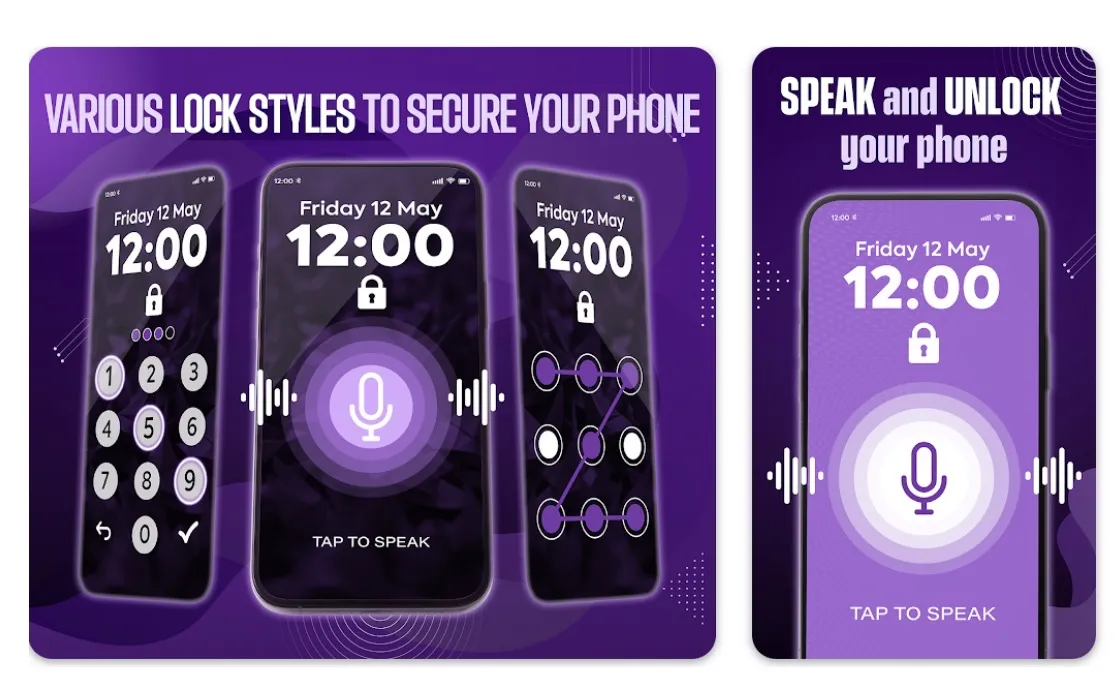
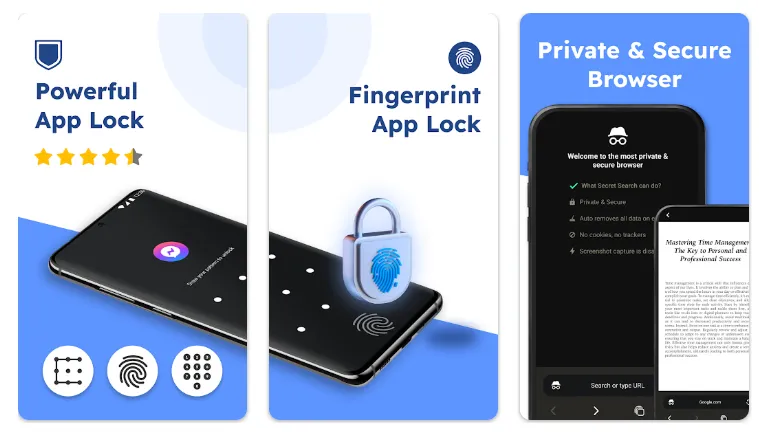
AHLock understands that flexibility is key to security. It supports three primary ways to unlock your apps:
-
Fingerprint Lock: The fastest and most seamless way to access your apps using your device's native biometric sensor.
-
PIN Code: A classic, reliable numeric password.
-
Pattern Lock: A scalable grid for those who prefer gesture-based security.
2. Selective App & System Protection
The app doesn't just lock third-party downloads; it protects the core of your phone. You can secure:
-
Social & Communication: WhatsApp, Instagram, Messenger, Snapchat, and TikTok.
-
Financial Security: PayPal, Google Wallet, and banking applications to minimize risks during payments.
-
System Apps: Gallery, Contacts, SMS, and even your "Settings" to prevent unauthorized changes or uninstallation of security tools.
3. The "Intruder Selfie" Feature
A standout deterrent for snoopers is the built-in Intruder Camera. If an unauthorized person enters the wrong code while trying to access a locked app, AHLock silently uses the front-facing camera to capture a photo of the culprit. You’ll have time-stamped visual evidence of exactly who tried to break into your privacy.
4. Smart Privacy Customization
AHLock offers several "stealth" options to keep your security discreet:
-
Invisible Pattern: Draw your unlock pattern without leaving visible lines on the screen, preventing "shoulder surfers" from memorizing your gesture.
-
Relock Policies: You can set the app to relock immediately upon exit or customize a delay to avoid repetitive unlocking during a busy session.
Performance and User Experience
Despite its robust security features, AHLock is designed with a low-resource footprint (approximately 20MB). It is optimized to run smoothly in the background without causing significant system lag.
-
Custom Themes: Users can personalize their lock screens with a variety of built-in stylish themes or use their own device wallpapers and custom colors.
-
Multilingual Support: The app is highly accessible, supporting a wide array of global languages including English, Spanish, Portuguese, French, and more.
-
One-Tap Locking: A simplified interface allows you to secure or unsecure apps from a list with a single click.
Technical Specifications
| Feature | Details |
| Developer | Eco Mobile Security |
| App Size | ~20 MB |
| Auth Methods | Fingerprint, PIN, Pattern |
| Security Features | Intruder Selfie, Social App Locking, Payment Protection |
| Requirements | Android 8.1 and up |
| Price | Free (Contains Ads / In-app Purchases) |
The Pros and Cons
The Pros:
-
High Speed: Biometric unlocking is near-instant on compatible devices.
-
Granular Control: You can lock everything or just one specific app.
-
Intruder Evidence: Excellent for catching snoopers red-handed.
-
Ease of Use: A very clean, intuitive interface that makes setup a breeze.
The Cons:
-
Ad-Supported: The free version includes advertisements within the setting menus.
-
Permission Requirements: Requires "All Files Access" and "Accessibility" permissions to effectively manage app locking and media protection.
Final Verdict: Is Your Privacy Truly Safe?
If you value digital boundaries, AHLock - Fingerprint App Lock is an essential utility. It provides a level of peace of mind that standard system locks simply cannot match. By combining biometric speed with clever "spy-catching" features, Eco Mobile Security has created a reliable, user-friendly vault for your digital life.
Don't wait for a privacy breach—secure your apps with AHLock today.