Smart Typing, Voice Input & Multilingual Keyboard in One App
In today’s digital world, typing is one of the most frequent activities we perform on our smartphones. Whether you are chatting, writing emails, posting on social media, or searching online, having a fast and…
In today’s digital world, typing is one of the most frequent activities we perform on our smartphones. Whether you are chatting, writing emails, posting on social media, or searching online, having a fast and intelligent keyboard is essential. The Gboard, developed by Google, is one of the most powerful and widely used keyboard apps available today. A06
Available on the Google Play Store, Gboard combines speed, accuracy, and smart features to improve your typing experience.
⌨️ Fast and Accurate Typing
Gboard is designed to make typing faster and more efficient. Its advanced prediction system learns your typing style and suggests words accordingly.
You can:
-
Type quickly with smart suggestions
-
Use autocorrect for fewer mistakes
-
Swipe type (glide typing)
-
Improve accuracy over time
This makes it ideal for both casual and professional use.
🎤 Voice Typing for Hands-Free Input
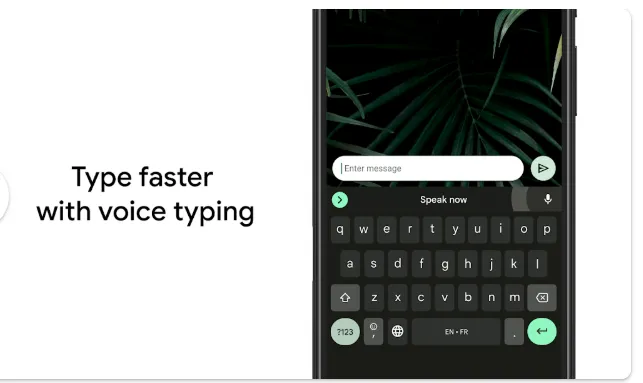
One of the standout features of Gboard is voice typing. Instead of typing manually, you can simply speak and the app converts your speech into text.
This is useful for:
-
Writing messages quickly
-
Multitasking while typing
-
Users who prefer voice input
Voice typing is fast, accurate, and convenient.
🌍 Multilingual Support
Gboard supports multiple languages, making it perfect for global users. You can type in different languages without switching keyboards.
It includes support for languages used worldwide, including:
-
English
-
Amharic
-
Afaan Oromo
-
Arabic
-
And many more
This makes communication easier across different languages.
🔎 Built-in Google Search
Gboard allows you to search directly from your keyboard. You can:
-
Search information instantly
-
Share links without leaving your app
-
Access Google results quickly
This saves time and improves productivity.
😊 Emojis, GIFs & Stickers
Communication is more fun with Gboard’s rich media features. You can:
-
Send emojis
-
Share GIFs
-
Use stickers
This enhances conversations and makes messaging more expressive.
✍️ Handwriting Input
For users who prefer writing instead of typing, Gboard supports handwriting input. You can draw letters and words, and the app converts them into text.
📱 Customization Options
Gboard allows users to personalize their keyboard with themes, colors, and layouts. You can customize it to match your style and preferences.
⚡ Lightweight and Efficient
Despite its powerful features, Gboard is optimized for performance. It runs smoothly on most devices without slowing down your phone.
🌍 Useful Worldwide
Gboard is widely used globally, including in Ethiopia. Its multilingual support makes it ideal for diverse users.
⭐ Why Gboard Stands Out
-
Fast and accurate typing
-
Voice typing support
-
Multilingual capabilities
-
Built-in Google search
-
Emojis, GIFs, and customization
These features make it one of the best keyboard apps available.
💡 Best Use Cases for Maximum Value
Gboard is ideal for:
-
Daily communication
-
Social media posting
-
Professional writing
-
Multilingual typing
-
Fast and efficient input
🏁 Final Verdict
The Gboard is a powerful and essential tool for anyone who uses a smartphone regularly. With its smart typing features, voice input, and multilingual support, it stands out as one of the best apps on the Google Play Store.
If you want a faster, smarter, and more efficient typing experience, Gboard is definitely worth downloading.