A Reliable Android Cleaning and Storage Management App
Introduction: As smartphones accumulate apps, photos, videos, cached data, and temporary files, storage space can quickly become limited. CCleaner is one of the most recognized device-cleaning applications available for…
Introduction: As smartphones accumulate apps, photos, videos, cached data, and temporary files, storage space can quickly become limited. CCleaner is one of the most recognized device-cleaning applications available for Android, helping users remove junk files, manage storage, and monitor device performance from a single dashboard. Developed by Piriform, CCleaner has been available for Android since 2014 and remains one of the most downloaded cleaning utilities worldwide. B26
What is CCleaner?
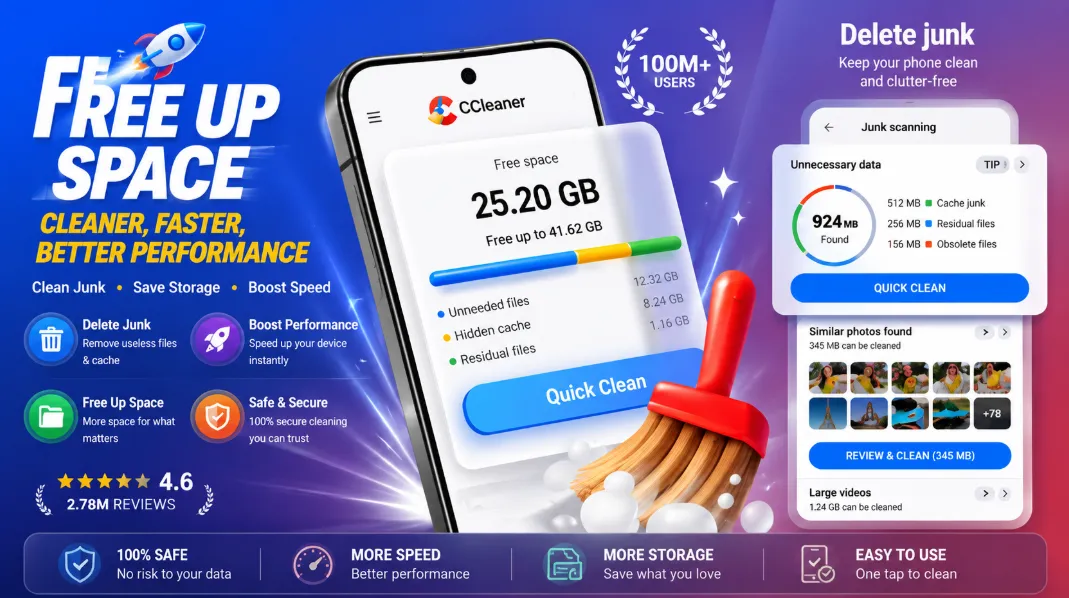
CCleaner is a device optimization app designed to help users clean unnecessary files, reclaim storage space, analyze app usage, and monitor system performance. The Android version focuses on storage management rather than aggressive system optimization, making it suitable for everyday users who want to keep their devices organized.
Key Features
Junk File Cleaner
CCleaner can identify and remove unnecessary files that accumulate over time.
These include:
-
App cache files
-
Download folder clutter
-
Browser history
-
Clipboard content
-
Residual files left behind by apps
This helps users recover storage space safely and efficiently.
Storage Analysis
The app provides detailed insights into how storage is being used on your device.
Users can:
-
Find large files
-
Discover storage-heavy apps
-
Analyze folder sizes
-
Free up space quickly
This feature is especially useful for devices with limited internal storage.
App Manager
CCleaner's App Manager helps users understand which applications consume the most resources.
It can:
-
Identify unused apps
-
Uninstall multiple applications
-
Show storage consumption
-
Highlight battery and data usage
This makes managing installed apps much easier.
System Monitoring
The app includes built-in monitoring tools that display:
-
CPU usage
-
RAM usage
-
Internal storage status
-
Battery information
These features help users understand how their device is performing in real time.
Photo Cleanup Tools
CCleaner can help organize photo libraries by identifying:
-
Similar photos
-
Duplicate images
-
Old photos
-
Poor-quality pictures
This can free significant storage space for users with large photo collections.
User Experience
One of CCleaner's strongest points is its simplicity. The interface is beginner-friendly, and most cleaning tasks can be completed in just a few taps. The app clearly shows what will be removed before any cleanup operation begins.
Pros
-
Easy-to-use interface
-
Effective junk file cleanup
-
Storage analysis tools
-
App management features
-
System monitoring dashboard
-
Photo cleanup assistance
-
Trusted and long-established software brand
Cons
-
Free version includes advertisements
-
Some advanced features require a premium subscription
-
Modern Android versions already perform certain cleanup tasks automatically
-
Cleaning results vary depending on device usage patterns
Security and Trust
CCleaner is developed by Piriform, a long-established software company. However, users should know that a Windows version of CCleaner was affected by a supply-chain malware incident in 2017, which was later patched and resolved. The Android app available through Google Play is maintained and distributed through official channels.
Final Verdict
CCleaner remains one of the most useful Android cleaning applications in 2026. Its combination of junk file removal, storage management, app analysis, photo cleanup, and system monitoring provides a practical set of tools for keeping devices organized.
While it won't magically make every phone faster, it can help reclaim storage space and simplify device maintenance.