Scan Any Room for Hidden Cameras Using This Genius App
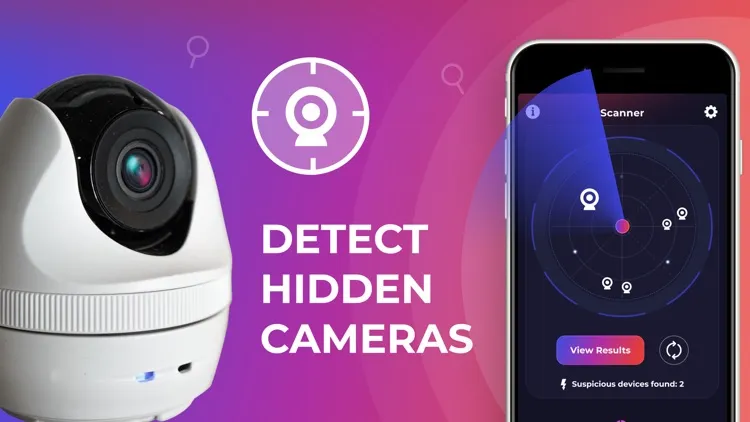
In a world where privacy is often compromised, taking extra steps to protect yourself is no longer optional—it’s necessary. Whether you're in a hotel room, changing room, Airbnb, or public restroom, hidden cameras could be lurking in unexpected places. That’s why Hidden Camera Detector by FutureApps is a must-have app for your smartphone.
🌟 What Makes This App So Powerful?
🔹 1. Magnetometer Camera Detection
This feature uses your phone’s magnetic sensor to analyze electromagnetic activity in your surroundings. Hidden spy cameras emit a specific type of magnetic signal, and the app is trained to detect it. When suspicious activity is detected, the app beeps and raises an alarm—giving you a chance to investigate further.
How it works:
-
Move the app near suspicious objects like mirrors, clocks, showerheads, air purifiers, or flowerpots.
-
Use the top or bottom of your phone where the sensor is located.
-
When the app detects magnetic patterns like those from a camera, it alerts you.
🔧 Tip: Not all phones have a magnetic sensor. If yours doesn’t, you can still use the infrared detection feature.
🔸 2. Infrared Camera Detector
Did you know most hidden cameras use infrared (IR) light to record in the dark? This app comes with a built-in IR scanner that makes spotting these nearly invisible devices easier than ever.
Just open the infrared tool and scan the area:
-
If you see a white glowing light on your screen (but not with your naked eye), it may be an infrared source—potentially a hidden camera.
✅ The app’s luminescence filter enhances visibility, making it more effective than just your phone’s regular camera.
💡 Easy-to-Use Features
-
Share suspicious locations with friends via the app
-
Quick scanning tools built into one easy interface
-
FAQ & troubleshooting support
-
Designed to ignore weak electromagnetic signals from common metals
-
Works without internet (007)
🙋♂️ FAQs at a Glance
Q: What if the app beeps near metal?
A: Not all metals trigger alerts, but if they do, look for a lens or camera-like structure.
Q: My phone doesn't have a magnetic sensor. What now?
A: Use the Infrared Detector, or try another phone that supports the magnetic sensor.
Q: Infrared Detector isn't opening.
A: Close all background camera apps and retry. The tool may conflict with other camera applications.
🎯 Final Thoughts
The Hidden Camera Detector app is a smart blend of technology and privacy protection. While no app can guarantee 100% detection, this one gives you a significant edge—especially in places where your privacy matters the most.
It doesn’t just detect—it empowers you with knowledge and actionable steps.