AI Image & Video Creator
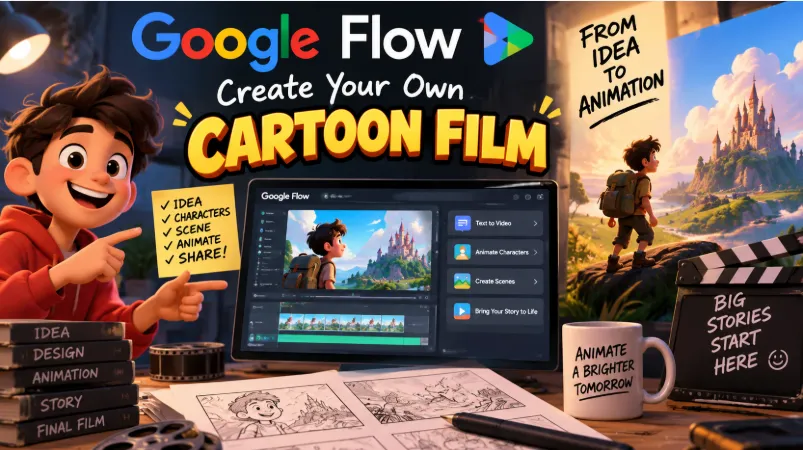
Google Flow is an AI-powered creative application that helps users turn ideas into images and videos. It brings Google's visual generation tools into a workspace where creators can experiment with concepts, develop scenes, and refine their results. VEO3
The app is particularly useful for content creators, designers, and anyone interested in exploring AI-assisted visual production.
Key Features
-
AI Image Generation: Create images from creative ideas and instructions.
-
AI Video Creation: Generate video content using supported AI tools.
-
Image-Based Inspiration: Use reference photos to guide the appearance of generated content.
-
Creative Experimentation: Explore different visual concepts and refine results.
-
Project Library: Organize and revisit your creative work.
-
Cross-Device Access: Continue supported projects across mobile and desktop.
-
Download Options: Save finished creations to your device.
User Experience
Google Flow provides a creative workspace for developing visual ideas without requiring advanced design or video-editing skills.
Users can experiment with different instructions and reference images to explore possible results. The ability to revisit projects makes it convenient to develop ideas over multiple sessions.
Generation times and available features may vary depending on the selected tool and account access.
AI Image and Video Creation
One of Flow's main attractions is the ability to explore both still images and moving visuals.
Users can develop a visual concept, generate different versions, and refine their creative direction. This makes the application useful for brainstorming social media content, developing story concepts, and experimenting with visual styles.
AI-generated results may require several attempts before they match the intended appearance.
Advertising and Pricing
Google Flow is free to install, but AI generation may be subject to usage limits or credit requirements.
Some capabilities may require a paid plan or additional credits. Users should review the available options before beginning projects that require many generations.
Privacy and Security
Users should consider the sensitivity of any photographs or personal information they upload to AI creation tools.
Before uploading private images, review the application's current privacy information and applicable terms. Avoid including confidential documents or other sensitive material in creative prompts.
Advantages
Google Flow combines AI image generation, video creation, reference-based inspiration, and project management in one creative environment.
Its tools can help users explore visual ideas quickly and develop content without starting every project from a blank canvas.
Things to Consider
AI-generated images and videos may contain visual inconsistencies or details that differ from the original instructions.
Generation limits, processing times, and feature availability may also affect the experience. Users should carefully review finished content before publishing it.
Overall Review
Google Flow is a useful creative application for people interested in AI-generated images and videos. Its combination of visual generation, reference images, and project management provides a flexible way to experiment with creative ideas.
It is particularly relevant to content creators who want to explore new visual concepts and
develop material for digital projects.