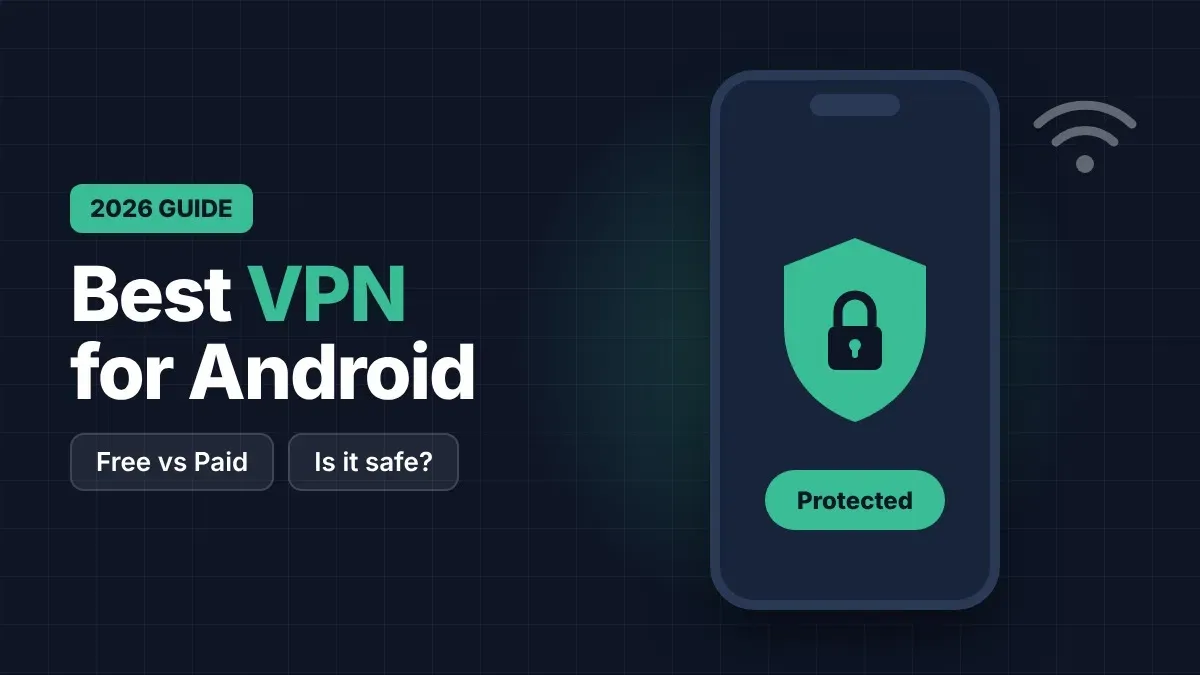
Best VPN for Android in 2026: Free vs Paid, Is It Safe?
Is a free VPN safe? We compare Proton VPN, Surfshark and NordVPN: what the free plan gives you, what paid plans cost, and which one is worth it for your phone in 2026.
You connect to free Wi-Fi at a café, a hotel or the airport, open your bank or your email, and never think twice. But on a public network, other people on the same Wi-Fi can sometimes see where you go online, and fake hotspots can be set up to collect logins. A VPN (virtual private network) protects you by sending your connection through an encrypted tunnel, so nobody on that network can read it.
In this guide we explain what a VPN really does, when you need one, which free VPNs are safe, and whether a paid plan is worth the price in 2026. Plans and prices change often, so always check the current offer on the official website before you pay.
What a VPN does (and what it does not do)
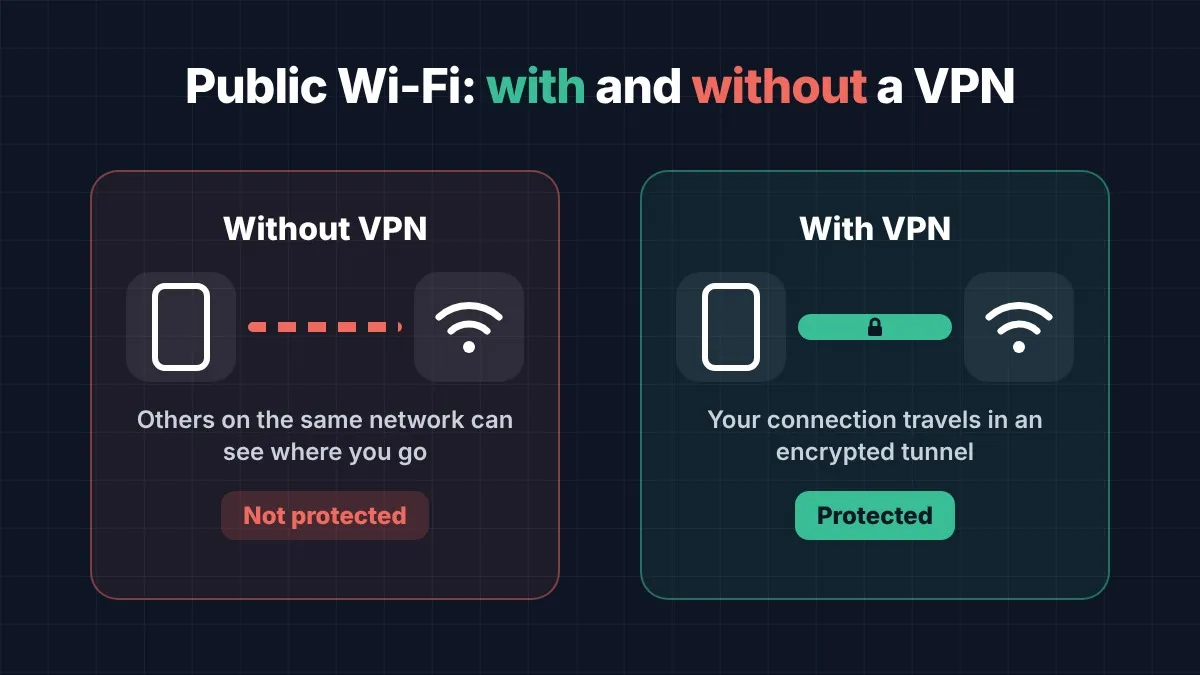
A VPN does three useful things. It encrypts the traffic between your phone and the VPN server, which keeps you safe on public Wi-Fi. It hides your real IP address from the websites you visit, which adds privacy. And it stops your internet provider from seeing every site you open.
A VPN does not make you anonymous, and it does not protect you from everything. It cannot stop you from typing your password into a fake website, and it cannot remove a virus that is already on your phone. Think of it as a seat belt: very useful, but you still need to drive carefully, keep your phone updated and use strong passwords.
Are free VPNs safe?
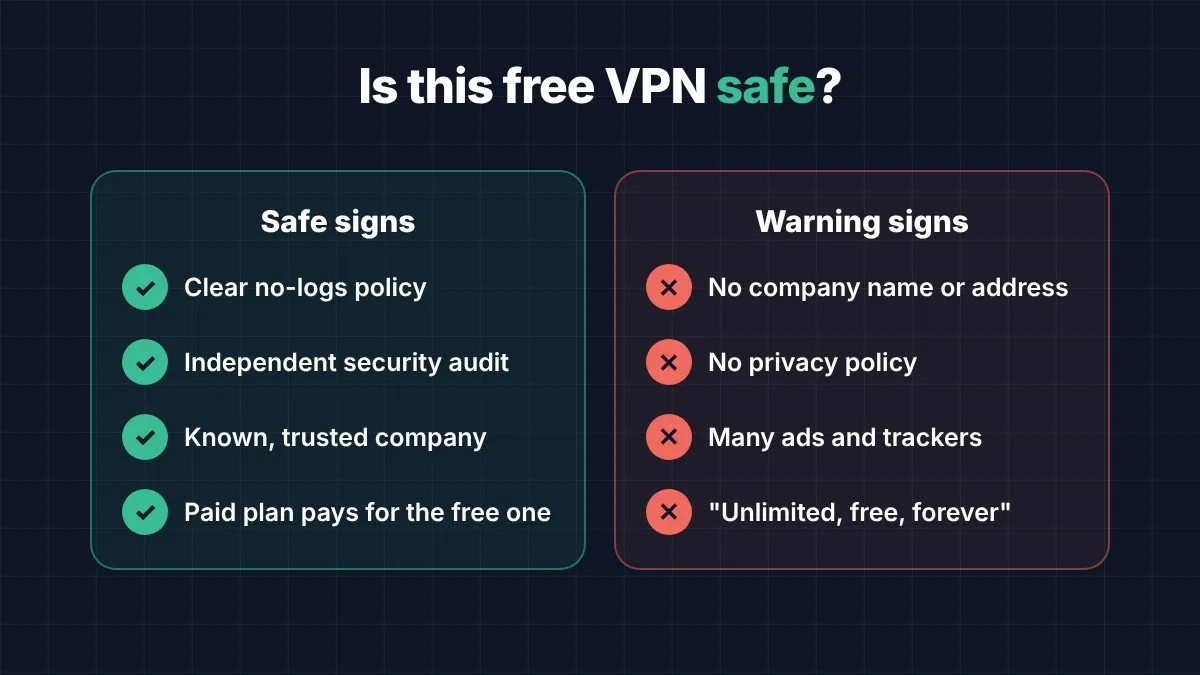
Some are, many are not. Running VPN servers costs money, so a free VPN must earn money somehow. The safe ones are free because the company sells a paid plan. The risky ones earn money by showing many ads, tracking what you do online or selling your data to advertisers. Before installing any free VPN, check three things: a clear no-logs policy, an independent security audit, and a well-known company behind it.
A good rule: if a free VPN promises everything for free, unlimited and forever, with no company name and no privacy policy, do not install it. Your data is the price.
1. Proton VPN Free: the best free VPN
Proton VPN comes from Proton, the Swiss company behind Proton Mail. Its free plan has no data limit, shows no ads and follows a strict no-logs policy that has been checked by independent auditors. The limits are fair: one device at a time, fewer server locations, and slower speeds when many people are online.
For checking your email and bank on public Wi-Fi, the free plan is more than enough. The paid plans add more devices, faster servers in many more countries and extra protection against harmful websites. Get it on Google Play: Proton VPN
2. Surfshark: best value for families
Surfshark has no free plan, but it lets you use one account on unlimited devices, so the whole family can share it. It includes a kill switch, which blocks the internet if the VPN connection drops, so your data is never sent unprotected. It also has a 30-day money-back guarantee, so you can test it without risk.
Long plans usually cost about $2 to $4 per month, but the first price is often a special offer and the renewal price can be much higher. Check the renewal price before you choose. Get it on Google Play: Surfshark
3. NordVPN: fast and full of features
NordVPN is one of the fastest VPNs and is easy to use, even for beginners. One account covers up to 10 devices. Its Threat Protection feature blocks many harmful websites and trackers, and its no-logs policy has been independently audited several times. It also offers a 30-day money-back guarantee.
It costs a little more than Surfshark on most plans, but it is a strong choice if speed matters most to you, for example for video calls while travelling. Get it on Google Play: NordVPN
Free vs paid VPN: which one is worth it?
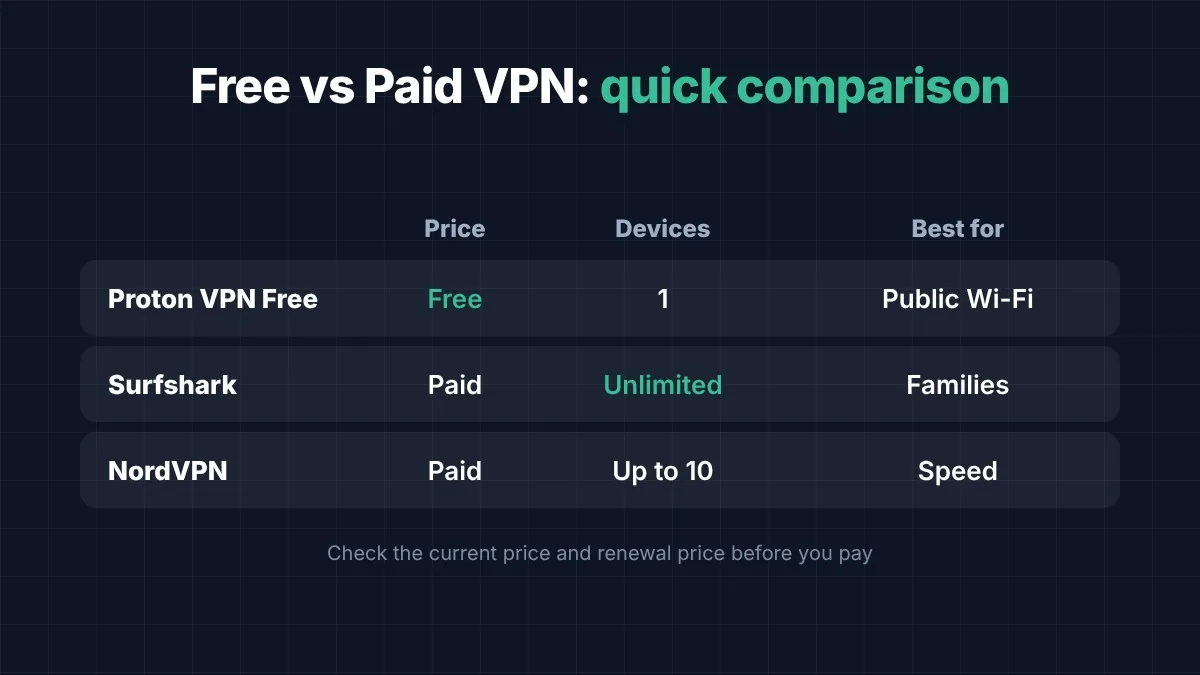
Here is the simple answer. If you only need protection on public Wi-Fi a few times a week, use Proton VPN Free. If you want to protect several phones and laptops in one family, Surfshark gives the best price per device. If you want the fastest speeds and extra protection against harmful websites, choose NordVPN.
Paying makes sense when you use public Wi-Fi every day, work remotely, travel often, or want to protect many devices. For most students and casual users, a trusted free plan is safe and good enough to start.
How to use a VPN safely on Android
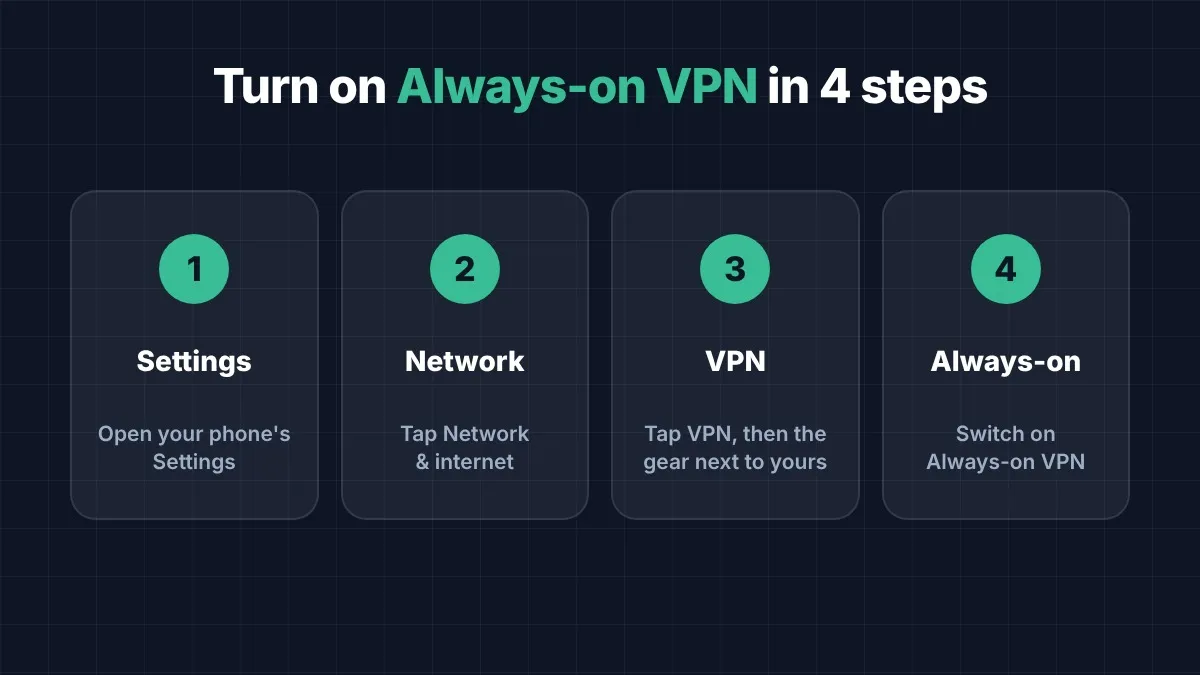
Install your VPN only from Google Play, never from an unknown website. Turn on the kill switch in the settings. On Android you can also open Settings, then Network, then VPN, and enable "Always-on VPN" so your phone connects automatically. Finally, remember that a VPN works best together with a password manager and two-step login on your important accounts.
A good VPN is a small step that protects your money, your messages and your privacy every time you go online. Start with a free plan from a company you can trust, and upgrade only when you really need more.