Touch The Notch Review 2026 – Turn Your Phone’s Camera Notch into a Shortcut Button
The camera cutout or notch on most Android phones normally has only one purpose: housing the front-facing camera. Action Notch: Touch The Notch changes that by transforming the area around your camera cutout into a customizable shortcut button. D01
Developed by Androxus, the app lets you perform common phone actions using gestures such as a single tap, double tap, long press, and swipe. According to its current Google Play listing, Action Notch has surpassed 1 million downloads, has around 25,000 reviews, and holds approximately a 4.6-star rating.
What is Action Notch?
Action Notch places an invisible touch area around or below your phone’s front-camera cutout using Android’s Accessibility Service. You can then assign different actions to gestures performed around that area.
This effectively turns an otherwise unused part of your display into an additional virtual button.
Key Features
1. Custom Notch Gestures
Users can configure single tap, double tap, long press, and swipe gestures to perform different actions. This gives you quick access to frequently used phone functions without searching through menus.
2. Screenshot & Screen Recording
Action Notch can capture screenshots directly from the camera-notch shortcut. A recent update also added screen recording, providing another way to start recordings without using physical button combinations.
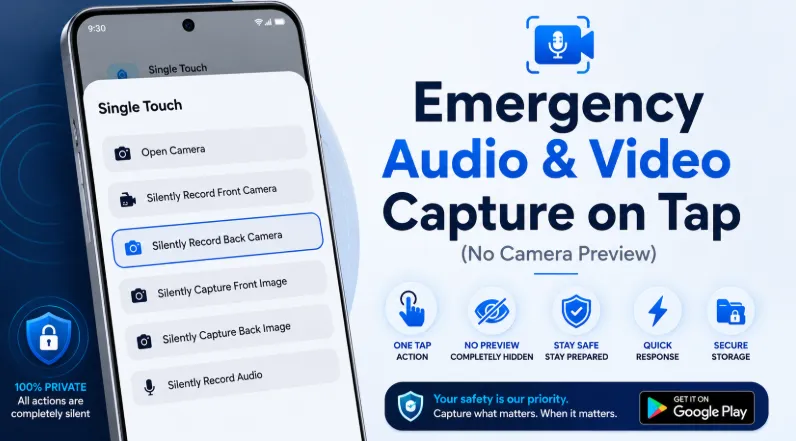
3. Camera, Video & Audio Recording
The app can quickly launch the camera and supports front or rear video recording as well as audio recording. The June 2026 update also added an option for silent audio and video recording. Users should always respect applicable privacy and recording laws.
4. Flashlight Shortcut
Assign the flashlight to a notch gesture and quickly turn your phone’s torch on or off without opening Quick Settings.
5. Screen Lock & Power Menu
The notch can be configured to turn off the screen or open Android’s power menu, potentially reducing how frequently you need to press the physical power button.
6. Music & App Controls
Action Notch can control music playback, open favorite applications, access recent apps, change brightness, switch ringer modes, control screen rotation, and activate Do Not Disturb.
7. QR & Barcode Scanner
You can also assign quick access to a QR and barcode scanner, providing another useful everyday shortcut.
Latest 2026 Improvements
The June 21, 2026 update added screen recording, app blacklisting, pause-on-call functionality, scroll-to-bottom, silent recording options, and better behavior for foldable devices without a traditional notch.
Pros
-
Turns the camera notch into a useful shortcut
-
Highly customizable gestures
-
Screenshot and screen-recording shortcuts
-
Flashlight and camera controls
-
Music playback controls
-
Quick access to favorite apps
-
Helps reduce physical-button usage
-
Useful app-blacklisting options
-
More than 1 million downloads
Cons
-
Requires Android Accessibility Service access to provide its core functionality.
-
Google Play lists the app as containing ads and in-app purchases.
-
The Data Safety section says the app may collect several categories of data and may share location, personal information, and device or other IDs with third parties.
-
One recent reviewer reported unusually high storage consumption; the developer responded that this was unexpected behavior and requested device details for investigation.
Final Verdict
Action Notch: Touch The Notch is a clever Android customization tool that turns your phone’s camera cutout into something genuinely useful. Instead of repeatedly using physical buttons or navigating through menus, you can perform everyday actions with simple gestures around the notch.
Its extensive customization, screen recording, screenshots, flashlight controls, app shortcuts, music controls, and other actions make it particularly useful for Android users who enjoy customizing how their phones work.
The main consideration is its Accessibility Service requirement, so users should understand and
review the requested permissions before enabling them.